

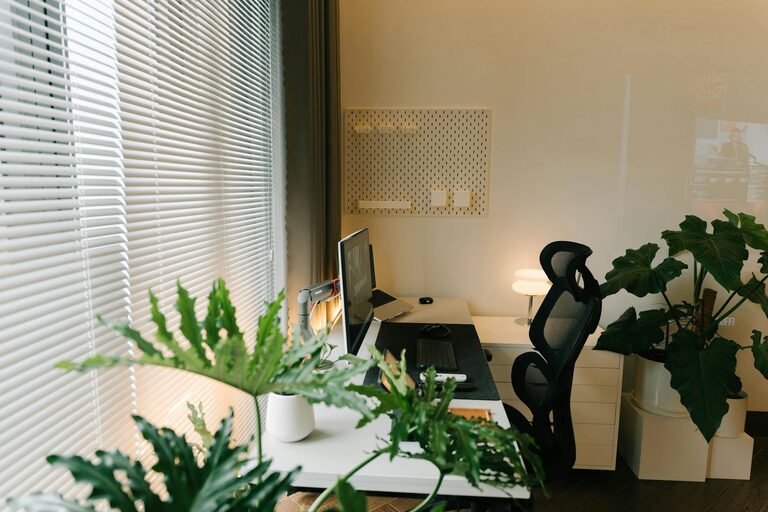
Creating a home office that is both comfortable and productive is essential for anyone working remotely or spending significant time at home. A well-designed workspace can help reduce distractions, increase focus, and promote a positive mindset. Here are practical tips to help you set up an effective home office space.
Choose the Right Location
Start by selecting a space in your home that is quiet and has minimal foot traffic. Ideally, this area should be separated from common living spaces to reduce interruptions. If a separate room isn’t available, consider creating a designated corner or nook that clearly defines your work zone.
Invest in Ergonomic Furniture
Comfort is key when spending long hours at a desk. An ergonomic chair that supports your lower back helps prevent discomfort and fatigue. Pair this with a desk at the right height to keep your arms at a 90-degree angle when typing. Adjustable desks can be a great option, allowing you to alternate between sitting and standing.
Optimize Lighting
Good lighting reduces eye strain and increases alertness. Natural light is the best option, so set up your desk near a window if possible. When natural light is limited, use bright, adjustable desk lamps that mimic daylight. Avoid harsh overhead lights that can cause glare on your screen.
Organize for Efficiency
Keep your workspace tidy to help maintain focus. Use storage solutions like shelves, filing cabinets, or desk organizers to keep documents and supplies within reach but out of the way. Decluttering your desk can also minimize distractions and create a calm environment.
Personalize Your Space
Adding personal touches can make your office more inviting and inspiring. Use artwork, plants, or photos that motivate you and make the space feel welcoming. Plants not only brighten the room but can also improve air quality.
Manage Technology and Cables
Ensure your technology setup supports your work needs. Invest in a reliable computer, monitor, keyboard, and mouse. Manage cables with clips or sleeves to keep them organized and avoid clutter. This not only improves safety but also keeps your desk looking neat.
Control Noise Levels
If noise is an issue, consider noise-canceling headphones or a white noise machine to block distractions. Soft furnishings such as rugs, curtains, and cushions can also help absorb sound and make the space quieter.
Create a Workflow Routine
Establish a routine that helps you transition into and out of work mode. Set specific working hours and take regular breaks to stretch or move around. A consistent schedule supports productivity and helps maintain a healthy work-life balance.
Add Comfortable Accessories
Small comforts can have a big impact. Consider supportive footrests, wrist pads, or an anti-fatigue mat if using a standing desk. These accessories enhance comfort and reduce stress on your body.
Keep Air Fresh and Comfortable
Good ventilation is important for a healthy workspace. Open windows regularly or use an air purifier to maintain fresh air. Adjust the room temperature to a comfortable level to avoid distractions caused by being too hot or cold.
Final Thoughts
Creating a comfortable and productive home office is about balancing ergonomics, organization, and personalization. By carefully designing your workspace, you can enhance your focus and well-being, making workdays more enjoyable and efficient. Start with these tips and adjust your setup over time to find what works best for you.